Fanqie library
Browse
- Titles
- 4
Every Fanqie book we index, searchable by title, author or tag.
-
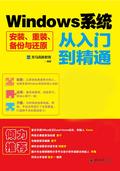 Windows System Installation, Reinstallation, Backup and Restoration from Entry to Proficiency
With the purpose of zero-based explanation, it uses examples to guide readers to learn in depth, and explains various operating methods and techniques of system installation, reinstallation, backup and restoration in simple and easy-to-understand terms. The content includes: operating system selection, bios settings, hard disk partitioning and formatting, installing a single operating system, installing multiple operating systems and simulating the installation of operating systems, installing d
—Reads8.5Score—Shelves
Windows System Installation, Reinstallation, Backup and Restoration from Entry to Proficiency
With the purpose of zero-based explanation, it uses examples to guide readers to learn in depth, and explains various operating methods and techniques of system installation, reinstallation, backup and restoration in simple and easy-to-understand terms. The content includes: operating system selection, bios settings, hard disk partitioning and formatting, installing a single operating system, installing multiple operating systems and simulating the installation of operating systems, installing d
—Reads8.5Score—Shelves
-
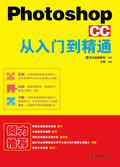 Photoshop CC from Beginner to Proficient
With the purpose of zero-based explanation, it uses examples to guide readers to learn, and introduces the relevant knowledge and comprehensive application methods of Photoshop CC in a simple and easy-to-understand manner. This book introduces the relevant knowledge and comprehensive application methods of Photoshop CC. The content includes simple editing of images, image selection, drawing images, adjusting and modifying images, application of layers, application of masks and channels, path and
—Reads8.7Score—Shelves
Photoshop CC from Beginner to Proficient
With the purpose of zero-based explanation, it uses examples to guide readers to learn, and introduces the relevant knowledge and comprehensive application methods of Photoshop CC in a simple and easy-to-understand manner. This book introduces the relevant knowledge and comprehensive application methods of Photoshop CC. The content includes simple editing of images, image selection, drawing images, adjusting and modifying images, application of layers, application of masks and channels, path and
—Reads8.7Score—Shelves
-
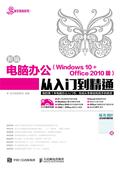 New Computer Office (Windows 10 + Office 2010 Version) from Entry to Proficiency
"New Computer Office (Windows 10 + Office 2010 Edition) from Beginner to Master" aims at zero-based explanation, uses examples to guide readers to learn, and introduces the relevant knowledge and application methods of computer office in a simple and easy-to-understand manner. "New Computer Office (Windows 10 + Office 2010 Edition) From Beginner to Master" is divided into 7 parts, with a total of 30 chapters. The first part [Getting Started] mainly introduces the basics of computer office work,
—Reads8.0Score—Shelves
New Computer Office (Windows 10 + Office 2010 Version) from Entry to Proficiency
"New Computer Office (Windows 10 + Office 2010 Edition) from Beginner to Master" aims at zero-based explanation, uses examples to guide readers to learn, and introduces the relevant knowledge and application methods of computer office in a simple and easy-to-understand manner. "New Computer Office (Windows 10 + Office 2010 Edition) From Beginner to Master" is divided into 7 parts, with a total of 30 chapters. The first part [Getting Started] mainly introduces the basics of computer office work,
—Reads8.0Score—Shelves
-
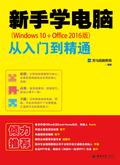 **
This book is an introductory book to guide beginners in learning computer applications. It introduces the relevant knowledge and operating skills of computer applications in detail, and provides expert-level guidance on the problems that beginners often encounter when using computers. The main contents include: quick introduction to Windows 10 operating system, computer typing, file and folder management, basic knowledge and advanced applications of Office software, and online communication.
—Reads5.8Score—Shelves
**
This book is an introductory book to guide beginners in learning computer applications. It introduces the relevant knowledge and operating skills of computer applications in detail, and provides expert-level guidance on the problems that beginners often encounter when using computers. The main contents include: quick introduction to Windows 10 operating system, computer typing, file and folder management, basic knowledge and advanced applications of Office software, and online communication.
—Reads5.8Score—Shelves