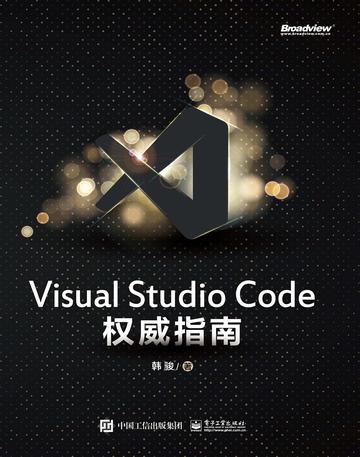
This book introduces all aspects of Visual Studio Code from the shallower to the deeper, mainly including the core components of Visual Studio Code, usage skills, advanced applications, plug-in recommendations, plug-in development, and various core products of the Visual Studio family, etc.
In addition, this book also introduces in detail how to use Visual Studio Code for development of various programming languages, front-end development, cloud computing development, Internet of Things development, and remote development.
This book is suitable for readers who have just started using Visual Studio Code, and for readers who have some experience in using Visual Studio Code and want to have a more comprehensive and in-depth understanding of Visual Studio Code.
Reader comments
It seems Tomato already knows my strength [shy]
Although you can't teach me to write code, I do have this software (although I can't understand most of it), but I also learned a few shortcut keys. All in all, it's somewhat useful (I don't know how powerful it is) [Understood]
I have read it quickly. This book is not about programming, but about how to use programming tools. If you haven't mastered a programming language, you'd better learn programming and use vim as a tool. When you become a great person, use vs!
The content of this book covers all aspects of VSCode, from basic installation, configuration and quick start, to the analysis of core components, to advanced applications, plug-in development and other advanced contents. For novices, the detailed basic operation explanations in the book can help them get started quickly and become familiar with the use of VSCode. For example, when introducing how to set up the editor, configure the user interface, use shortcut keys, etc., Clear steps and examples are given so that novices can easily follow the operations. For developers with certain experience, the advanced application section provides more in-depth knowledge, such as how to use the command line to improve development efficiency, how to navigate code, how to play with git, etc. These contents can help them further tap the potential of VSCode and improve their development skills.




It seems Tomato already knows my strength [shy]
Although you can't teach me to write code, I do have this software (although I can't understand most of it), but I also learned a few shortcut keys. All in all, it's somewhat useful (I don't know how powerful it is) [Understood]
I have read it quickly. This book is not about programming, but about how to use programming tools. If you haven't mastered a programming language, you'd better learn programming and use vim as a tool. When you become a great person, use vs!
The content of this book covers all aspects of VSCode, from basic installation, configuration and quick start, to the analysis of core components, to advanced applications, plug-in development and other advanced contents. For novices, the detailed basic operation explanations in the book can help them get started quickly and become familiar with the use of VSCode. For example, when introducing how to set up the editor, configure the user interface, use shortcut keys, etc., Clear steps and examples are given so that novices can easily follow the operations. For developers with certain experience, the advanced application section provides more in-depth knowledge, such as how to use the command line to improve development efficiency, how to navigate code, how to play with git, etc. These contents can help them further tap the potential of VSCode and improve their development skills.
Is anyone charging here?