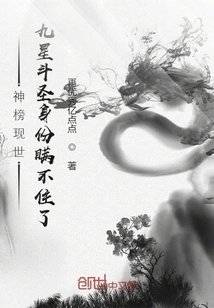
The God List Appears, and the Nine-star Fighting Saint's Identity Cannot Be Concealed
by Even Better
About This Novel
After opening his eyes and waking up, Xiao Ze traveled to Dou Qi Continent and became the son of the Xiao family's elder. He has been proud of his talent since childhood and is invincible compared to his peers. This is an existence that Xiao Yan can only hope to achieve. But one day, a sudden change occurred in the mainland's sky tomb, and the sacred monument came to the world. The fallen sacred monuments are arranged into various lists, and anyone who makes the list will receive great benefits. For the first time, the power list is announced. The first place is Yanhuang Pavilion, the second place is Soul Clan... For the second time, the list of elixirs was announced. The first place was the Yin Dao Tian Dan... For the third time, the list of exercises was announced. The first place was Tianyan Holy Judgment... For the fourth time, the list of geniuses is announced. The first place is the master of Yanhuang Pavilion... ... When the strength list was exposed, Xiao Ze's many identities could no longer be concealed... The Pavilion Master of Yanhuang Pavilion, the master of alchemy, Jiang Taixu's master...
Official Sources
What Readers Think
Rating
Community(0)
Official(76)Scraped 2mo ago
Um
1. Toolbox (if multiple tools share the same shortcut key, you can press [Shift] at the same time and add this shortcut key to select) Rectangular and elliptical marquee tool [M] Mobile toolV Lasso, Polygonal Lasso, Magnetic Lasso [L] Magic Wand Tool [W] Cropping tool [C] Slice tool, slice selection tool [K] Spray gun toolsJ Brush tool, pencil tool [B] Rubber stamp, pattern stampS History Brush Tool, Art History Brush [Y] Eraser, background eraser, magic eraser [E] Gradient tool, paint bucket tool [G] Blur, sharpen, smear tools [R] Dodge, burn, sponge tools [O] Path selection tool, direct selection tool [A] Text tool [T] Fountain pen, freeform penP Rectangle, rounded rectangle, ellipse, polygon, straight line [U] Writing pad, voice annotationN Pipettes, color samplers, measuring toolsI Gripper toolH Zoom tool [Z] Default foreground and background colors [D] Switch the foreground color and background color [X] Switch between standard mode and quick mask mode [Q] Standard screen mode, full screen mode with menu bar, full screen mode [F] Jump to ImageReady3.0 [Ctrl]+[Shift]+[M] Temporarily use the move tool [Ctrl] Temporarily use the color absorbing tool [Alt] Temporarily use the gripper tool [space] Quickly enter tool options (there is at least one adjustable number in the current tool options panel) [0] to [9] Cycle through brush selection [[] or []] Create a new gradient (in the "Gradient Editor") [Ctrl] + [N] 2. File operations Create a new graphic file [Ctrl]+[N] Open an existing image [Ctrl]+[O] Open as... [Ctrl]+[Alt]+[O] Close the current image [Ctrl]+[W] Save current image [Ctrl]+[S] Save as... [Ctrl]+[Shift]+[S] Save as graphics for web pages [Ctrl]+[Alt]+[Shift]+[S] Page settings [Ctrl]+[Shift]+[P] Print preview [Ctrl]+[Alt]+[P] Print [Ctrl]+[P] Exit Photoshop [Ctrl]+[Q] 3. Editing operations Undo/redo previous operation [Ctrl]+[Z] Restore forward step by step [Ctrl]+[Alt]+[Z] Redo step by step backward [Ctrl]+[Shift]+[Z] Fade in/fade out [Ctrl]+[Shift]+[F] Cut the selected image or path [Ctrl]+[X] or [F2] Copy the selected image or path [Ctrl] + [C] Merge copy [Ctrl]+[Shift]+[C] Paste the contents of the clipboard into the current drawing [Ctrl]+[V] or [F4] Paste the contents of the clipboard into the selection box [Ctrl]+[Shift]+[V] Free transformation [Ctrl]+[T] Apply free transform (in free transform mode) [Enter] Start transformation from the center or symmetry point (in free transformation mode) [Alt] Limitation (in free transform mode) [Shift] Distort (in free transform mode) [Ctrl] Cancel transformation (in free transformation mode) [Esc] Freely transform the copied pixel data [Ctrl]+[Shift]+[T] Transform the copied pixel data again and create a copy [Ctrl]+[Shift]+[Alt]+[T] Delete the pattern or selected path in the selection box [DEL] Fill the selected area or the entire layer with the background color [Ctrl]+[BackSpace] or [Ctrl]+[Del] Fill the selected area or the entire layer with the foreground color [Alt] + [BackSpace] or [Alt] + [Del] The "Fill" dialog box pops up [Shift]+[BackSpace] Fill from history [Alt]+[Ctrl]+[Backspace] Open the "Color Settings" dialog box [Ctrl]+[Shift]+[K] Open the "Pre-Adjustment Manager" dialog box [Alt] + [E] and then press [M] Preset brushes (in the "Preset Manager" dialog box) [Ctrl] + [1] Preset color style (in the "Pre-Adjustment Manager" dialog box) [Ctrl] + [2] Preset gradient fill (in the "Pre-Adjustment Manager" dialog box) [Ctrl] + [3] Preset layer effects (in the "Pre-Adjustment Manager" dialog box) [Ctrl] + [4] Preset pattern fill (in the "Preset Manager" dialog box) [Ctrl] + [5] Preset contour line (in the "Pre-adjustment Manager" dialog box) [Ctrl] + [6] Preset custom vector graphics (in the "Preset Manager" dialog box) [Ctrl] + [7] Open the "Presets" dialog box [Ctrl]+[K] Display the last displayed "Preferences" dialog box [Alt]+[Ctrl]+[K] Set "General" options (in the Preferences dialog box) [Ctrl] + [1] Set "Storage File" (in the Preferences dialog box) [Ctrl] + [2] Set "Display and Cursor" (in the Preferences dialog box) [Ctrl] + [3] Set "Transparent Area and Color Gamut" (in the Preferences dialog box) [Ctrl] + [4] Set "Units and Scales" (in the Preferences dialog box) [Ctrl] + [5] Set "Guide Lines and Grid" (in the Preferences dialog box) [Ctrl] + [6] Set "Plug-ins and Scratch Disks" (in the Preferences dialog box) [Ctrl] + [7] Set "Memory and Image Cache" (in the Preferences dialog box) [Ctrl] + [8] 4. Image adjustment Adjust color levels [Ctrl]+[L] Automatically adjust color levels [Ctrl]+[Shift]+[L] Automatically adjust contrast [Ctrl]+[Alt]+[Shift]+[L] Open the curve adjustment dialog box [Ctrl] + [M] Add new points on the curve of the selected channel (in the "Curve" dialog box) [Ctrl] to add points in the image Add new points on all curves except compound curves (in the "Curve" dialog box) [Ctrl] + [Shift] plus click Move the selected point (in the "Curve" dialog box) [↑]/[↓]/[←]/[→] Move the selected point in 10-point increments (in the "Curve" dialog box) [Shift] + [Arrow] Select multiple control points (in the "Curve" dialog box) [Shift] plus click Move the control point forward (in the "Curve" dialog box) [Ctrl] + [Tab] Move the control point backward (in the "Curve" dialog box) [Ctrl]+[Shift]+[Tab] Add new points (in the Curves dialog box) Click on the grid Delete points (in the "Curve" dialog box) [Ctrl] Add points and click on the points Deselect all points on the selected channel (in the "Curve" dialog box) [Ctrl] + [D] Make the curve mesh finer or rougher (in the "Curves" dialog box) [Alt] Add click mesh Select the color channel (in the "Curves" dialog box) [Ctrl]+[~] Select the monochrome channel (in the "Curves" dialog box) [Ctrl] + [Number] Open the "Color Balance" dialog box [Ctrl] + [B] Open the "Hue/Saturation" dialog box [Ctrl] + [U] Full image adjustment (in the "Hue/Saturation" dialog box) [Ctrl]+[~] Adjust only red (in the "Hue/Saturation" dialog box) [Ctrl] + [1] Adjust only yellow (in the "Hue/Saturation" dialog box) [Ctrl] + [2] Adjust only green (in the "Hue/Saturation" dialog box) [Ctrl] + [3] Adjust only cyan (in the "Hue/Saturation" dialog box) [Ctrl] + [4] Adjust only blue (in the "Hue/Saturation" dialog box) [Ctrl] + [5] Adjust only magenta (in the "Hue/Saturation" dialog box) [Ctrl] + [6] Remove color [Ctrl]+[Shift]+[U] Reverse phase [C
Sign in and clock in to remind you of updates
If you are passing by, don't miss it. Ahem, I went astray. This building is the extra chapter building, and the 100th floor is the extra chapter. Five hundred chapters of recommended votes plus one more chapter. Monthly ticket rewards are subject to availability.
question talent
Every time I see this kind of subject matter, I feel strange, because I really can't think of how a writer should write about this kind of subject. If I keep writing around this kind of list, readers will feel bored after a while. Although the beginning is often novel and exciting, I feel that novels with this kind of subject can only write one or two hundred chapters, at most more than 500 chapters!
What's the latest trend?
Either a god list or an eavesdropping thing? ? Who can tell me
There are so many lists in the fantasy world, and the ones that fight against each other are all out, but what about the big masters and the martial arts ones?
Can't "Original Emperor Qi" break through the Dou Emperor? What else do you want with the alien fire?
Not bad, not bad
Come on, come on, come on, come on, come on
The rating is about 6 points, and there are so many positive reviews in the forum. . .
If nothing else, the administrator had to delete a lot of comments, all of which were negative. A total of more than 40 people rated it, with a total score of more than six points. When I looked at the comments, there were only a dozen or 20 people who rated it. A lot of them must have been deleted.
recent situation
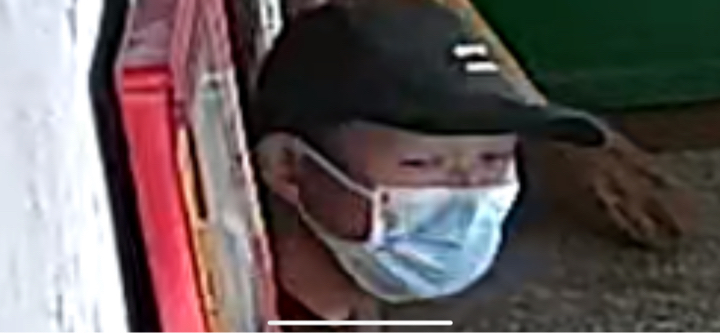
There was a thief at home, and my mentality was really bad. I have been feeling confused lately. Tmd, don't catch that birdman or I'll tear him apart. Attached is a photo of him, please be careful.
Come on, work and rest, support you
If you don't study for a day, you will have no good ideas. If you don't read for a month, your eyes and ears will lose their clarity. Come on!
Rating
Community(0)
Official(76)Scraped 2mo ago
Um
1. Toolbox (if multiple tools share the same shortcut key, you can press [Shift] at the same time and add this shortcut key to select) Rectangular and elliptical marquee tool [M] Mobile toolV Lasso, Polygonal Lasso, Magnetic Lasso [L] Magic Wand Tool [W] Cropping tool [C] Slice tool, slice selection tool [K] Spray gun toolsJ Brush tool, pencil tool [B] Rubber stamp, pattern stampS History Brush Tool, Art History Brush [Y] Eraser, background eraser, magic eraser [E] Gradient tool, paint bucket tool [G] Blur, sharpen, smear tools [R] Dodge, burn, sponge tools [O] Path selection tool, direct selection tool [A] Text tool [T] Fountain pen, freeform penP Rectangle, rounded rectangle, ellipse, polygon, straight line [U] Writing pad, voice annotationN Pipettes, color samplers, measuring toolsI Gripper toolH Zoom tool [Z] Default foreground and background colors [D] Switch the foreground color and background color [X] Switch between standard mode and quick mask mode [Q] Standard screen mode, full screen mode with menu bar, full screen mode [F] Jump to ImageReady3.0 [Ctrl]+[Shift]+[M] Temporarily use the move tool [Ctrl] Temporarily use the color absorbing tool [Alt] Temporarily use the gripper tool [space] Quickly enter tool options (there is at least one adjustable number in the current tool options panel) [0] to [9] Cycle through brush selection [[] or []] Create a new gradient (in the "Gradient Editor") [Ctrl] + [N] 2. File operations Create a new graphic file [Ctrl]+[N] Open an existing image [Ctrl]+[O] Open as... [Ctrl]+[Alt]+[O] Close the current image [Ctrl]+[W] Save current image [Ctrl]+[S] Save as... [Ctrl]+[Shift]+[S] Save as graphics for web pages [Ctrl]+[Alt]+[Shift]+[S] Page settings [Ctrl]+[Shift]+[P] Print preview [Ctrl]+[Alt]+[P] Print [Ctrl]+[P] Exit Photoshop [Ctrl]+[Q] 3. Editing operations Undo/redo previous operation [Ctrl]+[Z] Restore forward step by step [Ctrl]+[Alt]+[Z] Redo step by step backward [Ctrl]+[Shift]+[Z] Fade in/fade out [Ctrl]+[Shift]+[F] Cut the selected image or path [Ctrl]+[X] or [F2] Copy the selected image or path [Ctrl] + [C] Merge copy [Ctrl]+[Shift]+[C] Paste the contents of the clipboard into the current drawing [Ctrl]+[V] or [F4] Paste the contents of the clipboard into the selection box [Ctrl]+[Shift]+[V] Free transformation [Ctrl]+[T] Apply free transform (in free transform mode) [Enter] Start transformation from the center or symmetry point (in free transformation mode) [Alt] Limitation (in free transform mode) [Shift] Distort (in free transform mode) [Ctrl] Cancel transformation (in free transformation mode) [Esc] Freely transform the copied pixel data [Ctrl]+[Shift]+[T] Transform the copied pixel data again and create a copy [Ctrl]+[Shift]+[Alt]+[T] Delete the pattern or selected path in the selection box [DEL] Fill the selected area or the entire layer with the background color [Ctrl]+[BackSpace] or [Ctrl]+[Del] Fill the selected area or the entire layer with the foreground color [Alt] + [BackSpace] or [Alt] + [Del] The "Fill" dialog box pops up [Shift]+[BackSpace] Fill from history [Alt]+[Ctrl]+[Backspace] Open the "Color Settings" dialog box [Ctrl]+[Shift]+[K] Open the "Pre-Adjustment Manager" dialog box [Alt] + [E] and then press [M] Preset brushes (in the "Preset Manager" dialog box) [Ctrl] + [1] Preset color style (in the "Pre-Adjustment Manager" dialog box) [Ctrl] + [2] Preset gradient fill (in the "Pre-Adjustment Manager" dialog box) [Ctrl] + [3] Preset layer effects (in the "Pre-Adjustment Manager" dialog box) [Ctrl] + [4] Preset pattern fill (in the "Preset Manager" dialog box) [Ctrl] + [5] Preset contour line (in the "Pre-adjustment Manager" dialog box) [Ctrl] + [6] Preset custom vector graphics (in the "Preset Manager" dialog box) [Ctrl] + [7] Open the "Presets" dialog box [Ctrl]+[K] Display the last displayed "Preferences" dialog box [Alt]+[Ctrl]+[K] Set "General" options (in the Preferences dialog box) [Ctrl] + [1] Set "Storage File" (in the Preferences dialog box) [Ctrl] + [2] Set "Display and Cursor" (in the Preferences dialog box) [Ctrl] + [3] Set "Transparent Area and Color Gamut" (in the Preferences dialog box) [Ctrl] + [4] Set "Units and Scales" (in the Preferences dialog box) [Ctrl] + [5] Set "Guide Lines and Grid" (in the Preferences dialog box) [Ctrl] + [6] Set "Plug-ins and Scratch Disks" (in the Preferences dialog box) [Ctrl] + [7] Set "Memory and Image Cache" (in the Preferences dialog box) [Ctrl] + [8] 4. Image adjustment Adjust color levels [Ctrl]+[L] Automatically adjust color levels [Ctrl]+[Shift]+[L] Automatically adjust contrast [Ctrl]+[Alt]+[Shift]+[L] Open the curve adjustment dialog box [Ctrl] + [M] Add new points on the curve of the selected channel (in the "Curve" dialog box) [Ctrl] to add points in the image Add new points on all curves except compound curves (in the "Curve" dialog box) [Ctrl] + [Shift] plus click Move the selected point (in the "Curve" dialog box) [↑]/[↓]/[←]/[→] Move the selected point in 10-point increments (in the "Curve" dialog box) [Shift] + [Arrow] Select multiple control points (in the "Curve" dialog box) [Shift] plus click Move the control point forward (in the "Curve" dialog box) [Ctrl] + [Tab] Move the control point backward (in the "Curve" dialog box) [Ctrl]+[Shift]+[Tab] Add new points (in the Curves dialog box) Click on the grid Delete points (in the "Curve" dialog box) [Ctrl] Add points and click on the points Deselect all points on the selected channel (in the "Curve" dialog box) [Ctrl] + [D] Make the curve mesh finer or rougher (in the "Curves" dialog box) [Alt] Add click mesh Select the color channel (in the "Curves" dialog box) [Ctrl]+[~] Select the monochrome channel (in the "Curves" dialog box) [Ctrl] + [Number] Open the "Color Balance" dialog box [Ctrl] + [B] Open the "Hue/Saturation" dialog box [Ctrl] + [U] Full image adjustment (in the "Hue/Saturation" dialog box) [Ctrl]+[~] Adjust only red (in the "Hue/Saturation" dialog box) [Ctrl] + [1] Adjust only yellow (in the "Hue/Saturation" dialog box) [Ctrl] + [2] Adjust only green (in the "Hue/Saturation" dialog box) [Ctrl] + [3] Adjust only cyan (in the "Hue/Saturation" dialog box) [Ctrl] + [4] Adjust only blue (in the "Hue/Saturation" dialog box) [Ctrl] + [5] Adjust only magenta (in the "Hue/Saturation" dialog box) [Ctrl] + [6] Remove color [Ctrl]+[Shift]+[U] Reverse phase [C
Sign in and clock in to remind you of updates
If you are passing by, don't miss it. Ahem, I went astray. This building is the extra chapter building, and the 100th floor is the extra chapter. Five hundred chapters of recommended votes plus one more chapter. Monthly ticket rewards are subject to availability.
question talent
Every time I see this kind of subject matter, I feel strange, because I really can't think of how a writer should write about this kind of subject. If I keep writing around this kind of list, readers will feel bored after a while. Although the beginning is often novel and exciting, I feel that novels with this kind of subject can only write one or two hundred chapters, at most more than 500 chapters!
What's the latest trend?
Either a god list or an eavesdropping thing? ? Who can tell me
There are so many lists in the fantasy world, and the ones that fight against each other are all out, but what about the big masters and the martial arts ones?
Can't "Original Emperor Qi" break through the Dou Emperor? What else do you want with the alien fire?
Not bad, not bad
Come on, come on, come on, come on, come on
The rating is about 6 points, and there are so many positive reviews in the forum. . .
If nothing else, the administrator had to delete a lot of comments, all of which were negative. A total of more than 40 people rated it, with a total score of more than six points. When I looked at the comments, there were only a dozen or 20 people who rated it. A lot of them must have been deleted.
recent situation
There was a thief at home, and my mentality was really bad. I have been feeling confused lately. Tmd, don't catch that birdman or I'll tear him apart. Attached is a photo of him, please be careful.
Come on, work and rest, support you
If you don't study for a day, you will have no good ideas. If you don't read for a month, your eyes and ears will lose their clarity. Come on!
You Might Also Like
Immortal Martial Ring
My Stupid Plan
Reborn Female General
Qianshan Tea Guest
My Martial Arts is so Amazing That I Can Practice it Automatically
Divine Vision
The Prince of Taiyin Who Covers the Sky
Karazhan Wine Bottle
Become Invincible from the World That Covers the Sky
Everything Is Empty
Another World Dragon Xiaoyao
Saga
Puppet Emperor? Summon Three Thousand Xuanjia Troops at the Beginning
Dragon Scale Dots
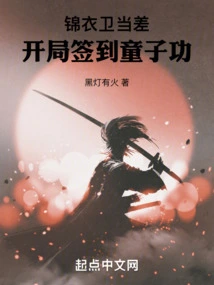
Jin Yiwei is on Duty: Signing in at the Beginning of the Game is a Boy's Skill
Black Light Has Fire
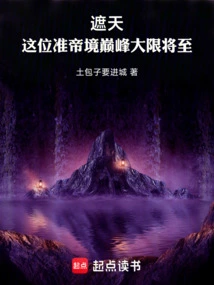
Zhe Tian: the End of This Pinnacle of Quasi-emperor Realm is Approaching
The Bumpkins Are Coming To Town
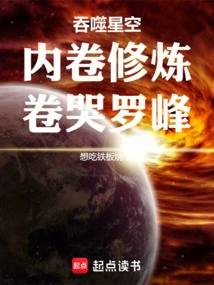
Devouring the Starry Sky: Inner Volume Training, Volume Crying Luo Feng
Want To Eat Teppanyaki